Reset Password on Abacus Market

How to Reset Your Password on Abacus Market (GUIDE)
Here you'll find a step-by-step guide for retrieving your account password using a mnemonic code on Abacus Market.
To assist users who may have lost their account access, Abacus Market has implemented a recovery feature that utilizes mnemonic codes.
Step 1 – Navigate to the login page of Abacus Market.
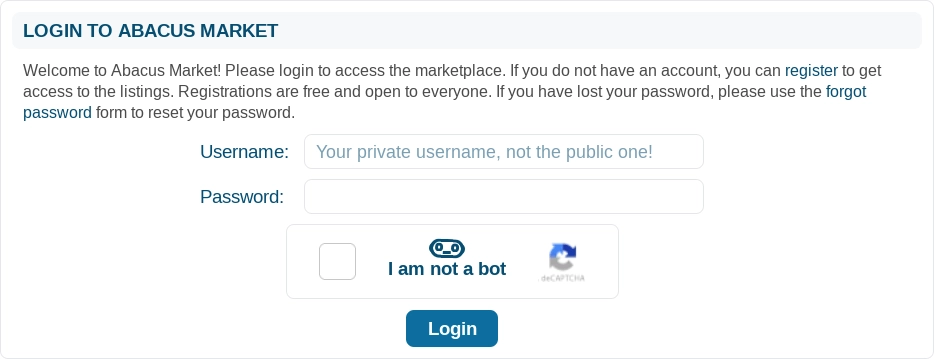
Select the 'forgot password' link to proceed to the page designed for account recovery.
Step 2 – Complete the support ticket form following our detailed guidance.
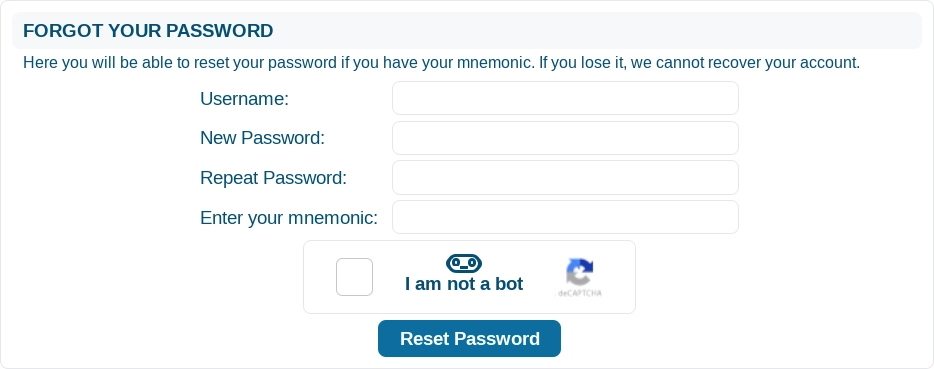
Username – input the username linked to the account you are attempting to regain access to.
New Password – create and enter a new password in the provided field.
Repeat Password – re-enter the new password to confirm it matches what you entered previously.
Enter your mnemonic – input the recovery mnemonic in this area for the account associated with the password you wish to change.
Captcha – please complete the captcha to verify that you are a human user.
Click on the 'Reset Password' button to finalize the password recovery process.
You can now log in to your Abacus Market account whenever you wish!