Instructions for Turning Off Two-Factor Authentication on Abacus Market

Instructions for Turning Off Two-Factor Authentication on Abacus Market
To turn off two-factor authentication (often referred to as 2-FA) on your Abacus Market account, please follow the guidelines outlined below.
Although we advise maintaining two-factor authentication for increased security, you might want to disable it for some reason. If that’s the case, here’s how you can proceed:
Step 1: Navigate to your account's profile editing page.

Look for the section labeled 'Security Settings' as you scroll down.
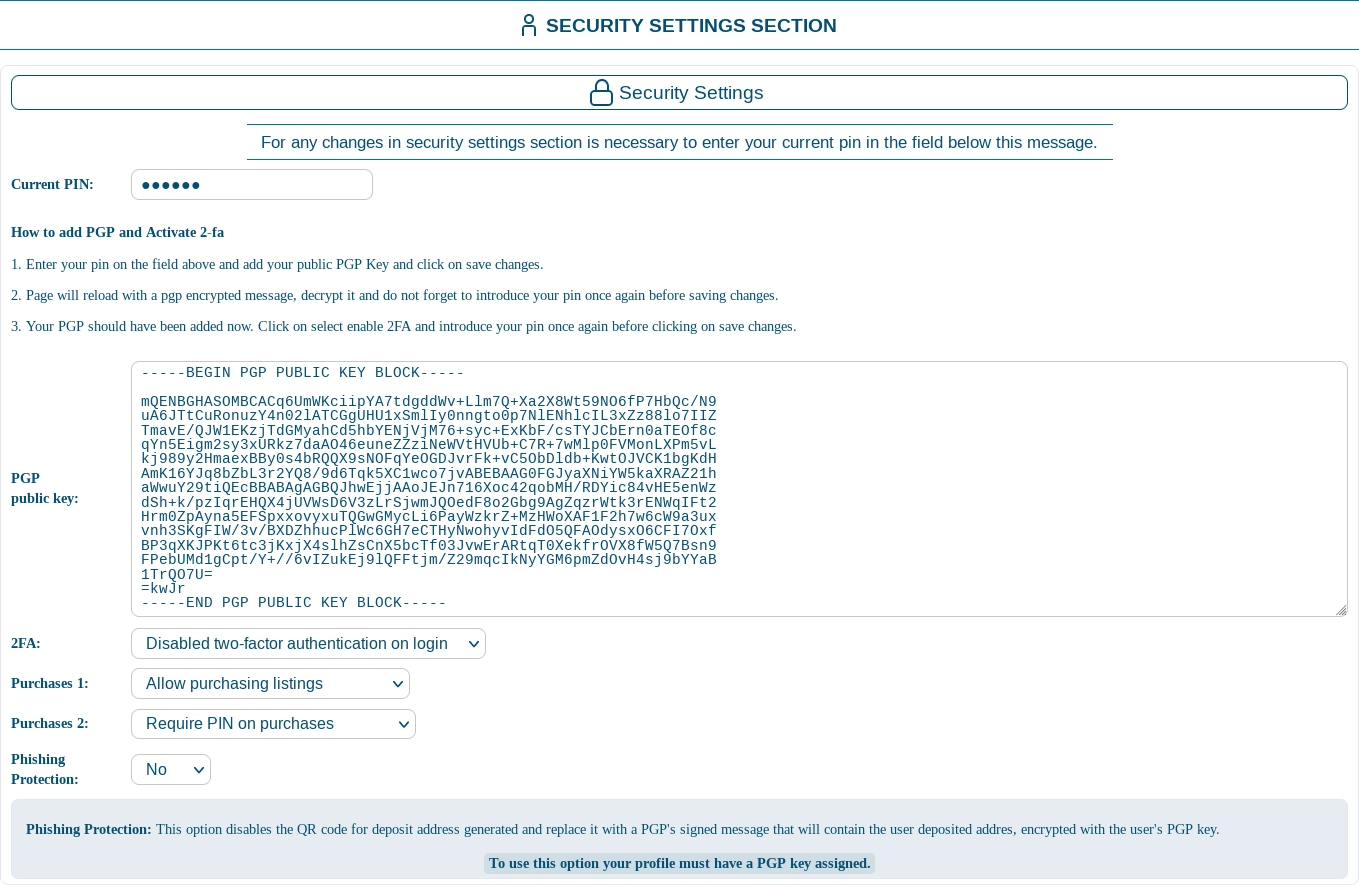
2-FA: Select this option to turn off the two-factor authentication required for logging in.
Current PIN: Input your PIN code into the designated field.
Step 2: Confirm and implement the changes to turn off 2-FA.

Proceed to the bottom of the page and click 'Save Changes' to finalize this adjustment.
Keep in mind that once you disable 2-FA, your account will lack this additional layer of security. It’s important to be mindful of the potential risks and take personal responsibility for your account's safety.